
Reading While Breastfeeding: One Hand, No Fuss
Reading while breastfeeding, comfortably: setups for each nursing position, night feeds without a bright screen, and turning pages with your hands full.
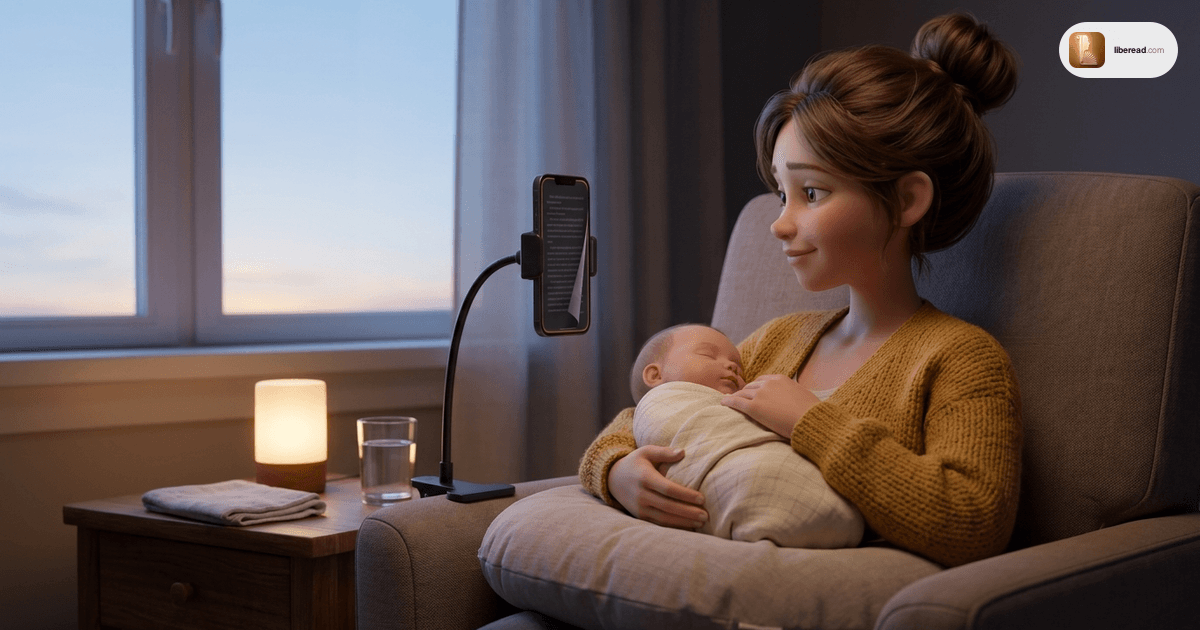
Reading while breastfeeding is mostly a question of hands. One arm holds the baby, the other often helps with the latch or the pillow, and the book ends up balanced on your knee or pinned under a thumb. The fix is simple: set the book or phone up before you start, so it stays at eye level by itself, and turn pages with as little movement as possible.
This guide covers what to read on, how to prop it up in the common nursing positions, how to keep night feeds dim, and how to turn pages without a free hand. It is about comfort, not about feeding itself. For latch, positions and anything to do with your baby's health, your midwife, health visitor or a lactation consultant is the right person to ask.
Can you read while breastfeeding?
Yes, and plenty of parents do. Feeds in the early weeks can be long and frequent, and a book is a calm way to spend some of that time. Many parents also like to spend feeds just looking at their baby, especially while the baby is awake and alert. Both are fine, and most people do a bit of each.
The one rule is baby first. In the early days, while you are both still learning, you will probably want your eyes on the latch, not on a page. Once feeds settle into a rhythm, reading during the quiet middle part of a feed is up to you. Put the book down whenever your baby needs you; a good setup means you can drop it and pick it up again without losing your place.
Paper, e-reader or phone?
Each works, but they ask different things of your hands.
| Paper book | E-reader (Kindle, Kobo) | Phone | |
|---|---|---|---|
| Hands needed to hold open | Usually two, or a weight | None once propped | None once propped |
| Page turn | Two hands, or a fiddly one-handed flip | A tap on the screen edge | A tap, or no hand at all with a hands-free reader |
| Night feeds | Needs a lamp | Built-in front light | Dark theme, very low brightness |
| Always within reach | Not always | Often | Almost always |
We compare the two in more depth in reading on your phone vs a Kindle.
A paperback is the hardest: it closes on itself, and turning a page one-handed tends to wake you more than it should. If you love paper, a small book stand or a clip that holds the pages open helps.
An e-reader is a good fit. It is light, the front light is gentle at night, and a tap on the edge of the screen turns the page. People often search for "reading Kindle while breastfeeding" for exactly this reason. The catch is that you still need a thumb free at the right edge of the screen.
A phone is the one you already have next to you, which matters at 3 a.m. It is a little heavier to hold and brighter by default, but both are easy to fix, as you will see below.
Set up your feeding spot before you sit down
Most of the hassle comes from realising, once the baby is latched, that the book is on the other side of the room. A small "feeding station" solves it:
- A stand or holder within reach. A tablet or phone stand on the armrest, a clamp holder on the bedside table, or a pillow stand that sits on the nursing pillow.
- Water and a snack for you.
- A charger cable that reaches the chair or bed.
- Do Not Disturb or a Focus mode on the phone, so the book does not turn into messages and news.
- The book already open. Pick up where you left off without hunting through menus.
Setups for each nursing position
The NHS guide to breastfeeding positions describes the common holds. Here is how to fit a book or phone around each of them, without changing the hold itself.
Cradle and cross-cradle hold
You sit upright with the baby across your front. One arm is busy; the other may be free once the baby is settled.
- Put the phone or e-reader on a stand on the armrest on the side of your free hand, angled toward your face, so you are not looking down at your lap for half an hour.
- If you hold it, rest your forearm on the armrest or a cushion. Holding a phone up without support tires your arm quickly.
Rugby (football) hold
The baby is tucked along your side, and that arm is fully occupied. The other arm is often supporting the breast at the start. A stand in front of you at eye level works best here; plan for zero free hands at least for the first minutes.
Laid-back position
You lean back on a sofa or bed with the baby lying on you. This is the hardest one for holding anything: your arms are around the baby, and the phone would hang above both of you. A gooseneck or bedside arm holder that puts the phone in front of your face, well clear of the baby, is the comfortable option.
Side-lying, often for night feeds
You lie on your side facing the baby. Prop the phone or e-reader on a second pillow in front of you at eye level, or use a bedside holder. Keep it out of the baby's space and make sure it cannot fall on them. Our guide on how to read in bed comfortably covers holders and neck-friendly positions in more detail.
Reading during night feeds
At night, light is the main thing to manage, for you and for anyone else asleep in the room.
- Use a dark theme: light text on a dark background throws far less light around the room than a white page.
- Turn the brightness right down. Your eyes adapt quickly in the dark.
- Turn on Night Shift or pick warm colours for the evening.
- Keep the phone silent. A notification buzz in a quiet room carries.
- Pick a calm book. You want to fall back asleep after the feed, so a thriller with a cliffhanger every chapter is better saved for the day.
If you start to doze off
Night feeds are tiring, and nodding off is common. If you feel sleepy, put the book or phone down first. We are not the right source for safe-sleep advice, but the American Academy of Pediatrics has a clear parent's guide to safe sleep, including what to do if you might fall asleep while feeding.
Turning pages with your hands full
A stand solves holding. The page turn is the remaining problem: on a phone it comes around roughly every minute, and every time you reach out, the baby may notice.
You have a few options, which we compare in how to turn pages hands-free on iPhone: a small Bluetooth page-turner remote, Apple's built-in accessibility features, or a reading app that turns pages by itself.
The last one is what we built Liberead for. It is an iPhone e-book reader you can use without touching the screen. With the phone on a stand in front of you:
- Open your book and start Face Controls.
- Turn your head slightly to the right and hold it for a moment to go to the next page. Turn left to go back.
- Blink twice to pause Face Controls when you look down at the baby or turn to talk, and blink twice again to resume.
Head turns and the double blink are free. You can also say "next" or "back" (free too), but at night a small head turn is quieter than your voice and less likely to rouse a drowsy baby.
A few things that help during feeds:
- Calibrate in your feeding position. Head turns are measured from the neutral position you set, so calibrate sitting or lying the way you actually feed.
- Pause before you look down. When you look at the baby, your head moves. A double blink first keeps pages from turning on their own.
- Keep the phone pointed at your face, not the baby. The front camera follows the face it sees in front of it.
- Night feeds. The free Dark theme works well. With Liberead Plus, the optional upgrade, you also get a true-black OLED theme that lights almost nothing but the letters, the voice command "darker" to dim the screen without reaching for it, and the Reading in Bed profile for side-lying. Plus also has an infrared mode that follows head turns in a very dark room. It is in beta: head turns work best, and results depend on the distance and angle of the phone.
Liberead opens DRM-free EPUB, PDF, FB2, MOBI and other formats. It cannot open books bought in the Kindle store or Apple Books, which are protected by DRM. If you need to bring your own files over, see how to add EPUB books to your iPhone. Camera frames are processed on the phone and never recorded or uploaded.
Other ways to "read" during feeds
Not every feed suits a page. Some alternatives parents use:
- Audiobooks and podcasts with one earbud in, so you can still hear the baby.
- Short reads: essays, poems or short stories that fit one feed.
- Nothing at all. Some feeds are better spent looking at your baby or simply resting.
If one-handed reading is something you need beyond the baby months, our guide to reading with limited hand mobility covers mounts and controls that do not depend on your hands.
Frequently asked questions
Can you read while breastfeeding?
Yes. Many parents read during the quiet part of a feed. Keep your attention on the baby while you are both learning to feed, and put the book down whenever the baby needs you.
How do you read a Kindle while breastfeeding?
Prop the Kindle on a stand or a pillow at eye level and tap the edge of the screen with your free thumb to turn the page. If you have no hand free, a Bluetooth page-turner remote can help.
How can I turn pages while nursing without using my hands?
On an iPhone, a reader with hands-free controls turns pages with a small head turn or a spoken word. Liberead does this for free with head turns, a double blink to pause, and the voice commands "next" and "back".
How do I read during night feeds without waking up completely?
Use a dark theme and very low brightness, turn on Night Shift, silence notifications and pick a calm book.
What is the best position for reading while breastfeeding?
Whichever position works for feeding. Do not change the hold for the book; change where the book is. A stand at eye level works for sitting holds, and a bedside holder or a propped pillow for laid-back and side-lying feeds.