
Reading on a Treadmill: Tips That Actually Work
Can you read on a treadmill? Yes, at a walk. Practical tips for reading on a treadmill or exercise bike: speed, incline, text size, phone mount, page turns.
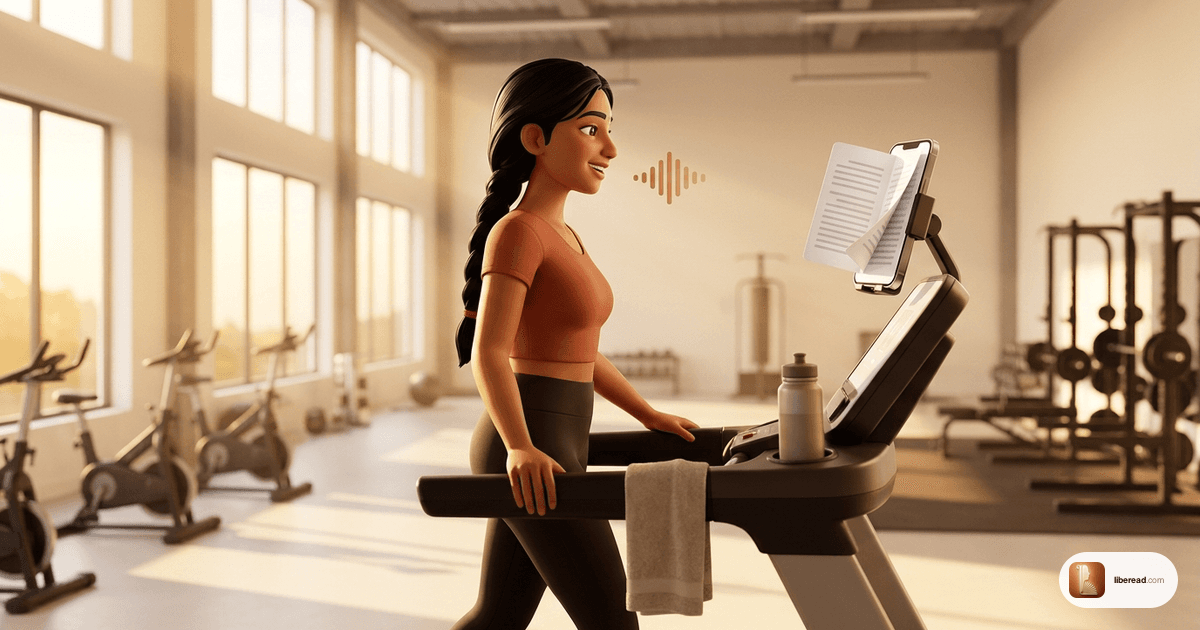
Reading on a treadmill works, as long as you walk instead of run, keep the screen at eye level and make the text bigger than you think you need. Most people who give up do so for one of three reasons: the words bounce, the neck aches from looking down, or turning the page means letting go of the rail.
This guide fixes all three. It covers the right speed and incline, where to put a phone or e-reader, how to set up the text, and how to turn pages without touching the screen. The same tips work on a stationary, recumbent or spin bike.
Can you read on a treadmill?
Yes, at walking pace. Treadmill desks and "bookwalking" exist because a steady walk keeps your head fairly still. Running is a different story: every stride moves your eyes up and down, and most readers lose their place within a minute.
A good rule of thumb is that if you could hold a calm phone conversation at this speed, you can read at it. For most people that is somewhere around 2 to 3.5 mph (3 to 5.5 km/h). Go slower than your usual walking workout at first and build up.
What about your eyes? Reading on a moving machine is not harmful in itself, but it is tiring. If you feel dizzy, queasy or get a headache, stop reading and just walk. Motion sickness is common when the eyes focus on something close while the body moves.
Walk, don't run: speed and incline
The trick that keeps most "treadmill readers" going is incline instead of speed. Walking uphill at a moderate pace raises your heart rate without the bounce of jogging. A brisk walk still counts: the CDC's physical activity guidelines for adults list it as moderate-intensity activity, toward the 150 minutes a week they recommend.
- Start slow. Pick a pace where your head barely moves, read for five minutes, then adjust.
- Add incline for effort. A few percent of incline at the same speed makes the workout harder while the text stays readable.
- Keep your normal stride. Short shuffling steps to steady the screen strain your hips. Walk naturally and let the text size do the work.
- Skip intervals while reading. Sudden speed changes are when people trip. Save sprints for a podcast session.
On an exercise bike the problem is the opposite: your head is steady, but you lean forward. Raise the screen to eye level so your back can stay upright.
Set up the screen: height, distance, text size
Most neck pain on a treadmill comes from looking down at a phone on the console. Put the screen as close to eye level as you can.
Where to put a phone or e-reader
- Console shelf with a stand. The simplest option. A small folding stand tilts the screen up toward your eyes.
- Clamp mount on the handrail or console. A phone mount for treadmills holds the screen higher and steadier than the shelf.
- A tablet holder on a separate stand in front of the treadmill works too, but keep it clear of the belt and the safety key.
Keep the phone locked into the mount. A phone that slides off onto a moving belt is both a broken screen and a trip hazard.
Make the text bigger than usual
Bouncing text is easier to follow when it is large. Readers who have tried it recommend going two or three sizes above your normal setting.
- Font size up, line spacing slightly up.
- A clear, sturdy font. Serif fonts with solid strokes hold up better in motion than thin ones.
- High contrast. Gyms are bright. A light theme usually reads better than a dark one under strong overhead lights.
- Turn off notifications. A banner sliding over the text breaks your focus at exactly the wrong moment. Use a Focus mode while you walk.
Turn pages without letting go of the rail
This is where most treadmill reading sessions fall apart. Tapping the screen means reaching forward, losing your balance for a second and losing your place.
There are three ways around it.
- Scroll mode. Some readers let you scroll continuously, so you touch the screen less often. You still need a hand now and then.
- A Bluetooth page turner. Small clickers made for Kindle and tablets let you turn pages with a button you hold in your hand or clip to the rail.
- Hands-free page turns on the phone. Some reading apps can turn the page from a spoken command or a head movement.
Liberead, our iPhone e-book reader (free to download), does the third. Say "next" or "back" and the page turns. Voice recognition runs on the phone and works offline, which matters on a gym Wi-Fi. A head turn to the right or left turns the page too.
Be realistic about which one suits a treadmill. Voice is the steadier option while you walk, because it does not care how much your head moves. Head turns are tuned for a reader who is sitting or lying still, so on a treadmill try them at a slow pace first, and, if a step ever turns a page on its own, raise the hold time in the settings (Liberead Plus) or lean on voice instead. Treadmills are noisy, so speak clearly and keep the phone close.
For a full rundown of every option, including Apple's own accessibility features, read our guide on how to turn pages hands-free on iPhone.
What to read on a treadmill
Not every book suits a walk. In our experience, the best treadmill books are:
- Novels with momentum. Thrillers, adventure and anything you would call a page-turner. Short chapters help.
- Books you are re-reading. Familiar text is easier to follow in motion.
- Light non-fiction. Essays, memoirs and popular science in short sections.
Leave dense textbooks, tables and PDFs with tiny print for the desk. A PDF does not reflow, so making the text bigger means zooming and panning, which is the last thing you want while walking. A reflowable format such as EPUB scales properly. If you are not sure what the difference is, our guide on how to add EPUB books to your iPhone explains it.
Safety checklist
Reading should never be the reason you fall off a treadmill.
- Clip on the safety key if your treadmill has one.
- Keep your eyes level, not angled down at your feet.
- Stop reading before you change speed or step off.
- Hold the rail when you need to, and never reach for a phone that is slipping.
- Stay hydrated and keep the bottle where you can reach it without looking.
- Stop if you feel dizzy. Walk without reading for a minute or end the session.
If you have a heart condition, balance problems or are recovering from an injury, ask your doctor what kind of exercise is right for you before combining it with reading.
Frequently asked questions
Is reading on a treadmill bad for your eyes?
It is not known to damage your eyes, but the constant small movements make your eyes work harder, so they tire sooner. Bigger text, a screen at eye level and short sessions help. If you get headaches or nausea, stop.
Can you read a Kindle on a treadmill?
Yes. An e-ink Kindle is light and easy to read under bright gym lights. To turn pages without letting go, people use a Bluetooth page-turner remote. Kindle books are protected by DRM, so they open only in Amazon's own apps and devices.
How fast can you walk and still read?
Most people can read comfortably at about 2 to 3.5 mph (3 to 5.5 km/h). Add incline instead of speed when you want more effort.
Is it better to read on a treadmill or an exercise bike?
An exercise bike is easier for reading because your head barely moves. A treadmill burns more energy at the same effort but needs a slower pace and bigger text.
Can I read on a treadmill while running?
Hardly. Running moves your head too much for comfortable reading. Audiobooks or podcasts are a better match for running.